


Registration at Pin Up Casino is the first step for players in Kazakhstan who want access to slots, live casino and the betting section. The process takes a couple of minutes, but it has nuances: age confirmation, choosing the currency in tenge and activating the welcome bonus. Below is a step-by-step guide on how to create an account correctly and avoid common mistakes.
An important note upfront: gambling is available only to adults (18+), every spin is decided by a random number generator, and play is entertainment, not a way to earn. Set time and budget limits in advance.
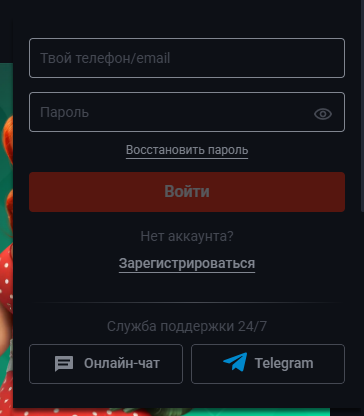
How to register at Pin Up: step-by-step guide
Creating a new account follows the same scenario whether you use a computer or a phone:
- Open the official Pin Up website and click the “Registration” button.
- Choose a method: by phone number, e-mail or via a social network.
- Specify the country (Kazakhstan) and account currency — tenge (KZT).
- Create a strong password and accept the rules and privacy policy.
- Confirm the contact — enter the code from the SMS or e-mail.
After that the account is created. Subsequent login to your Pin Up account uses the same details you entered at sign-up.
Registration methods: phone, e-mail or social network
The operator offers several ways to create an account, and the choice only affects how you confirm it:
- By phone number — the code arrives by SMS and the number becomes your login.
- By e-mail — an activation link or code is sent to your inbox.
- Via a social network or messenger — the profile is linked to an external account and no separate password is created.
One person is entitled to one account. Duplicates are usually blocked, so if you forget your details, don’t open a second profile — recover the password on the login page.
Sign-up bonus and promo code
New players can claim a welcome package, but its terms change, so read the current rules in the Pin Up bonuses section before activating. If you have a promo code, enter it in the dedicated field during registration — details are on the Pin Up promo codes page. A bonus always comes with wagering conditions and is not a guarantee of income.
Account verification after registration
Registration opens access to the games, but before the first withdrawal the operator verifies your identity — a legal requirement for licensed sites. Verification usually involves uploading a document confirming your age and identity. It’s best to complete it in advance. Enter your details only on the official resource, not on a copy — how to tell a fake apart is described in the working Pin Up mirror section.
Registration from a phone
Mobile registration is no different from the PC version: the same account works in the browser and in the app. If you plan to play from a smartphone, it’s convenient to install the Pin Up app for Android and iOS right away or use the mobile version of the site — the account is shared, no need to register again.
Frequently asked questions about Pin Up registration
How long does registration take?
Creating an account takes 2–3 minutes. Only verification may take longer, and you complete it once before withdrawing funds.
Can I register without a phone?
Yes, registration by e-mail or social network is available. But a phone is more convenient for recovering access.
Why doesn’t the confirmation code arrive?
The most common reasons are a typo in the number, a full “Spam” folder or a carrier delay. Check the details and request the code again in a minute.
Is registration paid?
No. Creating an account is free. Money is only needed for real bets, and you can study the games in demo mode without a deposit.
In brief
Registration at Pin Up Casino comes down to choosing a contact method, specifying the country and currency and confirming the contact. Keep your details private, complete verification in advance, read bonus terms before activating, and remember the section is for adults aged 18+ and that gambling is entertainment with financial risk.